Free · No account · Nothing you check leaves your phone
A second opinion on any suspicious message.
Texts, calls, emails, letters, knocks at the door. Show it to Hold the Phone first. In about ten seconds you get a plain answer and the three things that gave it away.
- Made for people 65 and up
- Big text, one button at a time
- No ads, nothing to buy
Simple enough to use when you are rattled.
Every screen asks one question and has one big button. No menus to hunt through, no jargon, no account.
Whatever showed up, you do not have to decide alone.
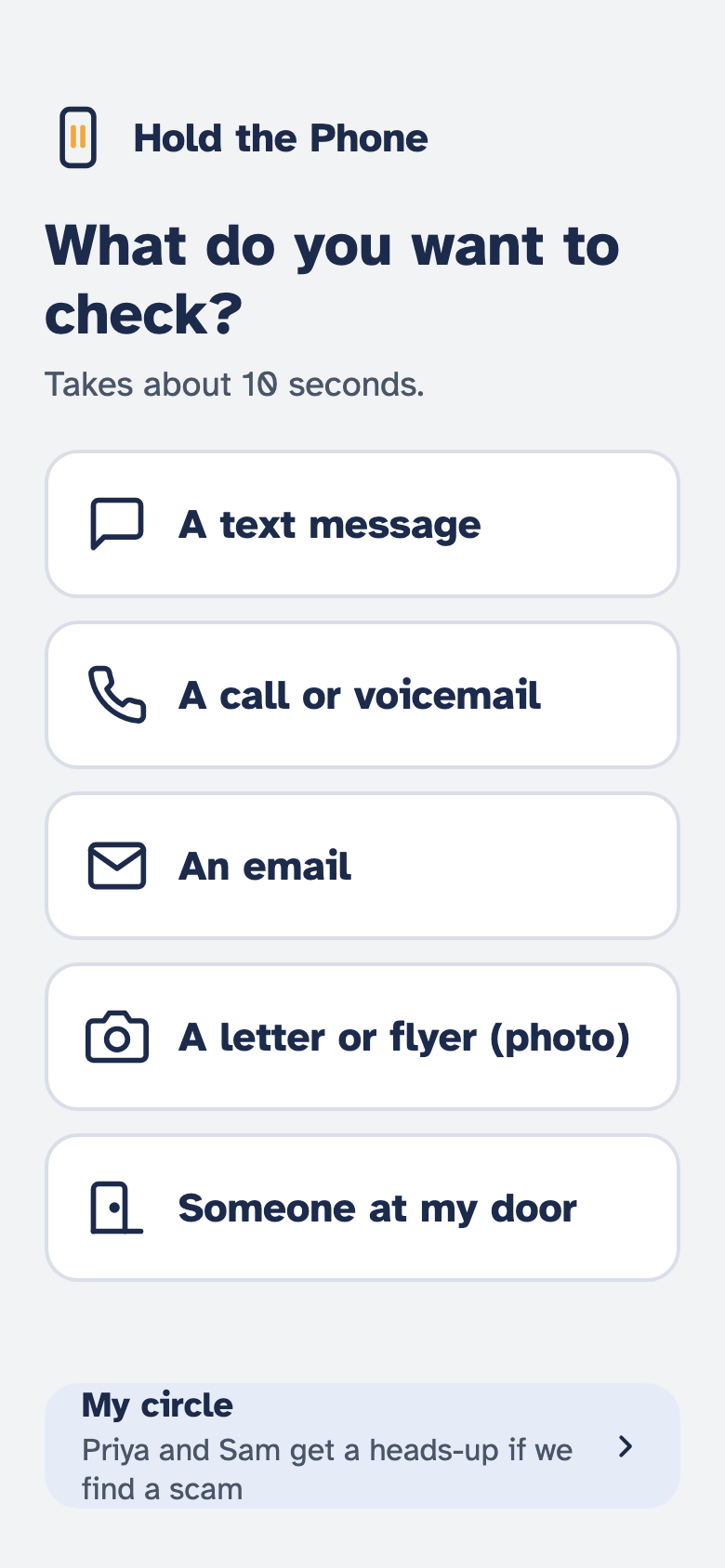
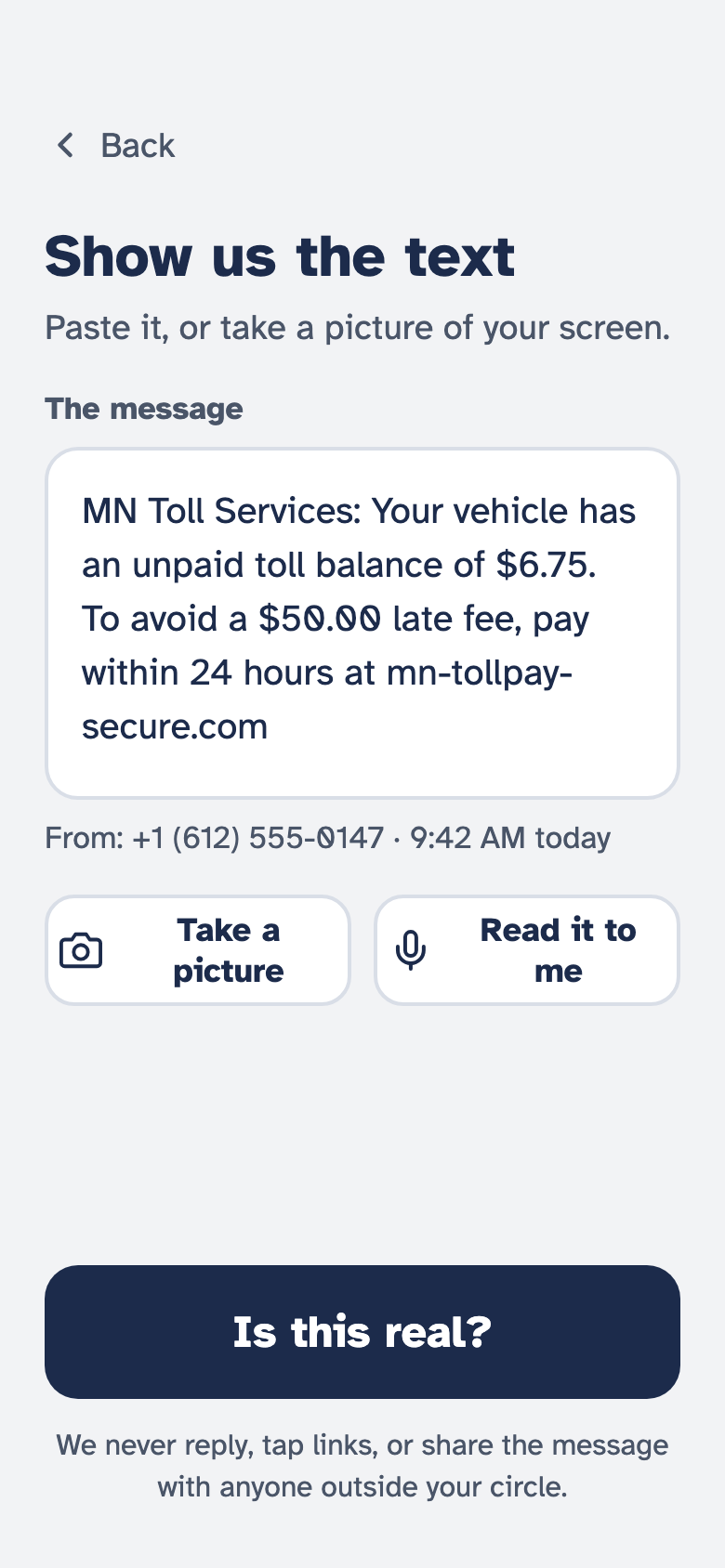
Pick what it is and show us. Nothing has to be typed: press and hold a text to copy it, and the home screen offers to check it the moment you open the app.
- A text message. Copy it, or choose a screenshot.
- A call or voicemail. Paste what they said and read it calmly instead of calling back scared.
- An email. Same as a text.
- A letter or flyer. "FINAL NOTICE" in the mail? Type in the words and we will look at them.
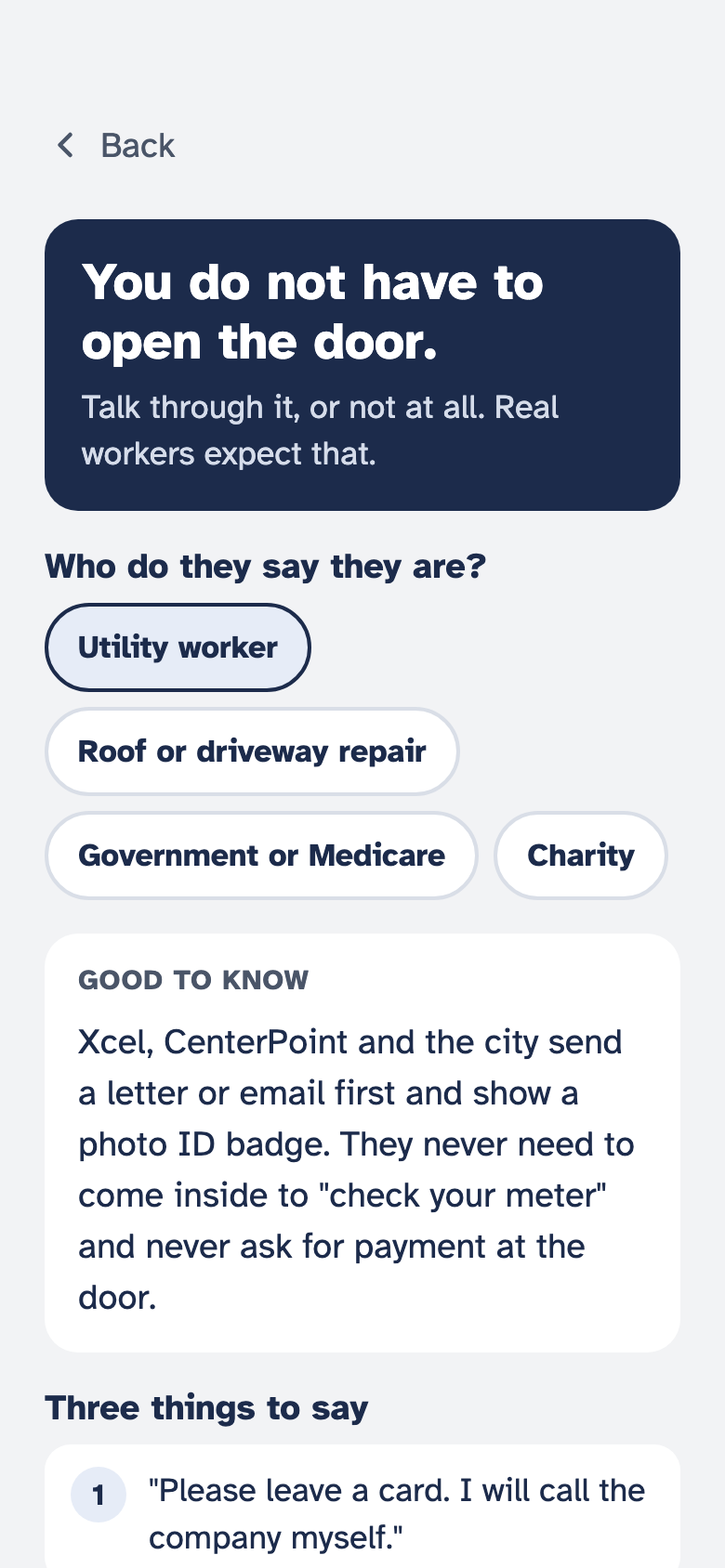
- Someone at my door. Three things to say, and one button to call family.
Three possible answers. Always with the reasons.
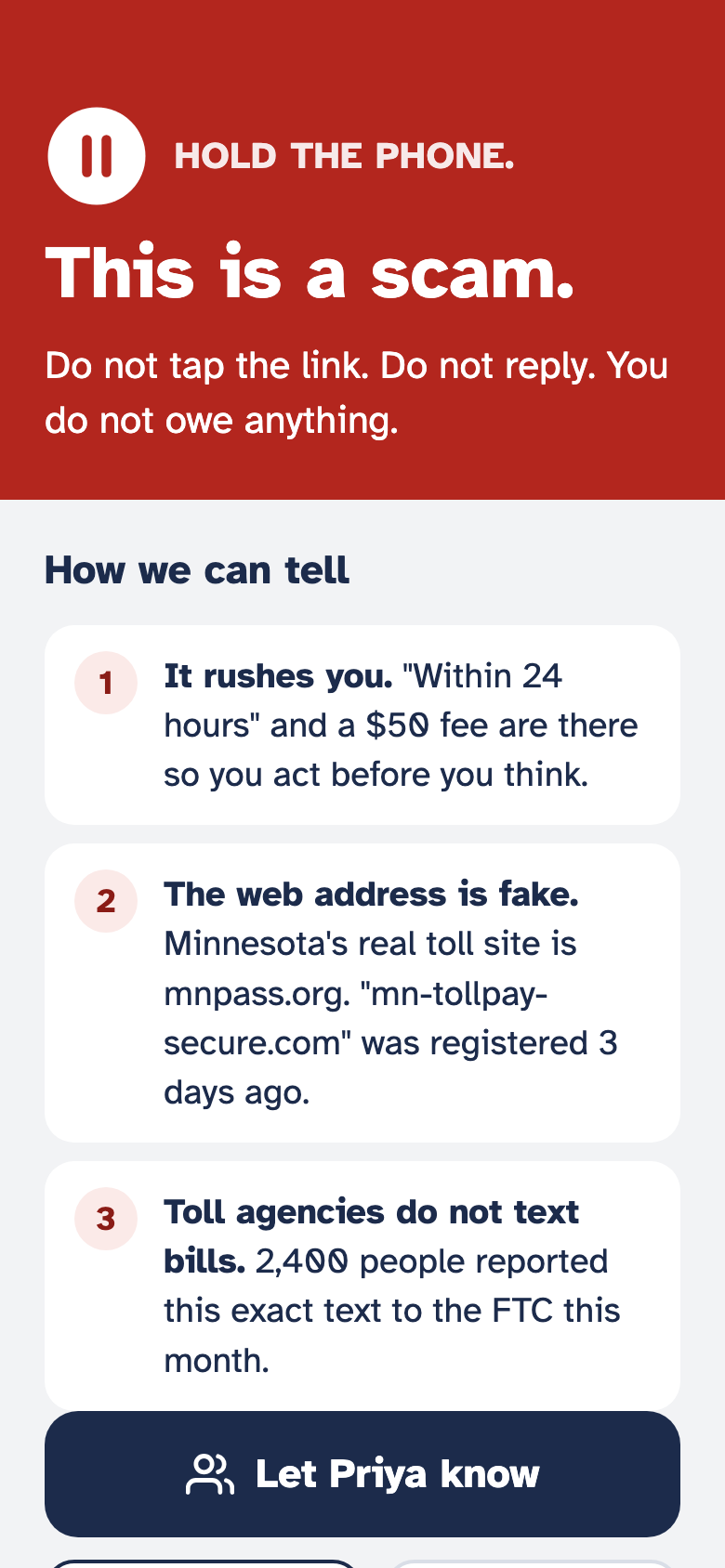
The big colored banner says what to do. The reasons underneath say why, in one sentence each. You never get one without the other, so you can judge for yourself and explain it to someone else.
It is a second opinion, not a gatekeeper. The app never replies, never calls anyone back, and never blocks anything for you. You stay in charge.
Seven tricks cover almost every scam. The app teaches them one at a time.
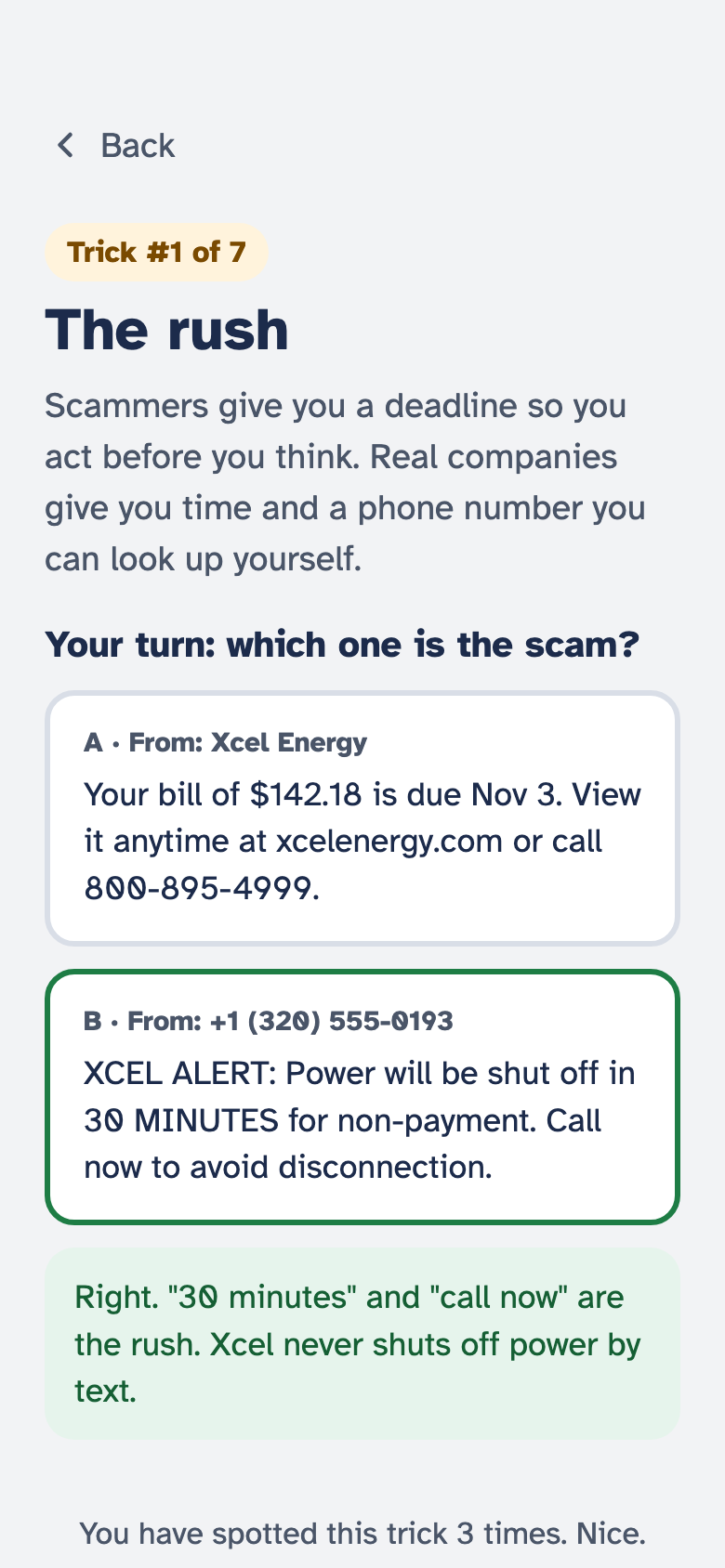
After a scam verdict, you can take a thirty-second lesson: what the trick is, then two messages side by side. Tap the scam. The app tells you if you got it, and why.
The rush. The fake caller ID. The fake web address. The secret. The gift card. The grandchild in trouble. The prize you never entered.
What the three answers look like
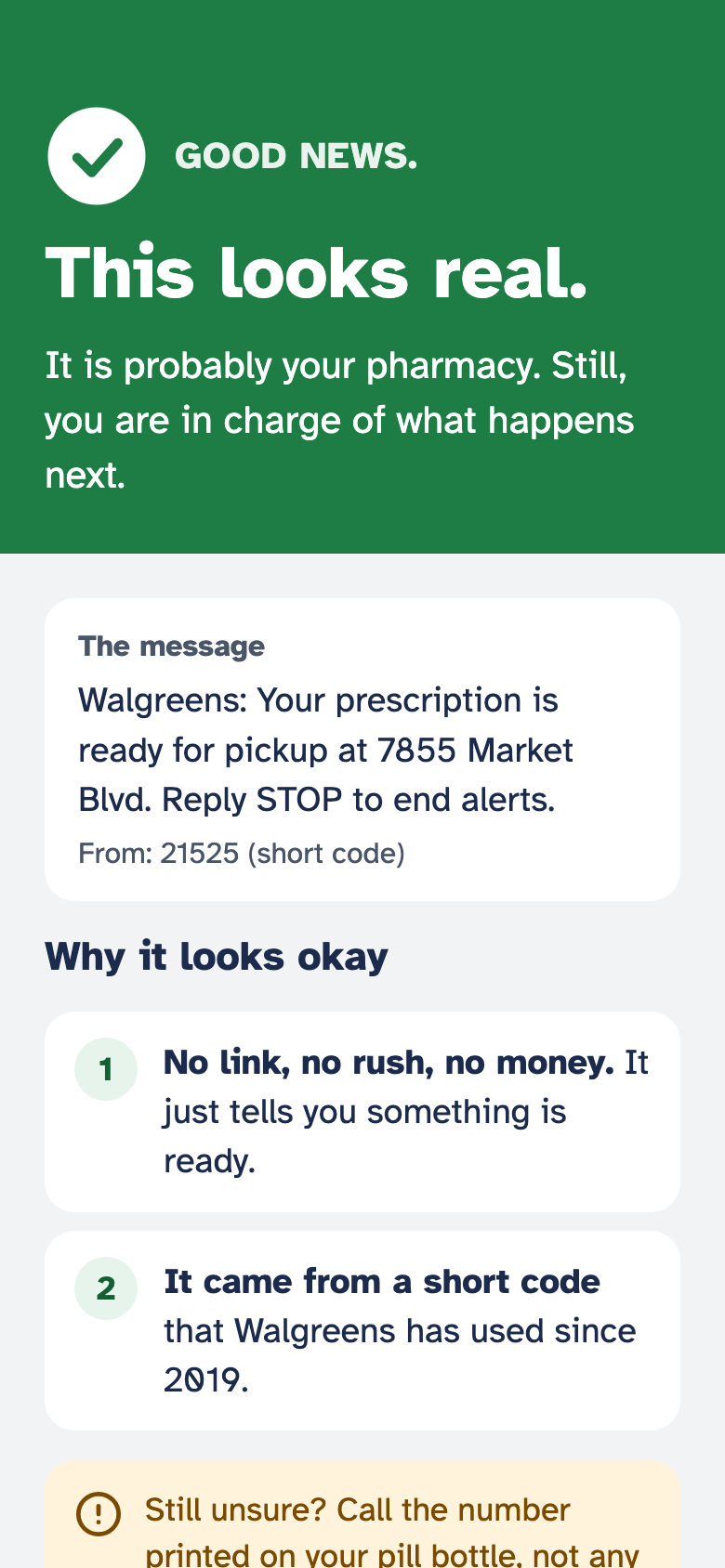
Red means stop. Green means it is probably fine. Amber means do nothing yet, and here is how to find out.
Do not tap the link. Do not reply. You do not owe anything.
Then up to three tells. "It rushes you." "The web address is fake." "Toll agencies do not text bills."
It is probably your pharmacy. Still, you are in charge of what happens next.
Why it looks okay: no link, no rush, no money, and a short code your pharmacy really uses.
Do nothing yet. Here is how to find out for certain.
Call the company on a number you look up yourself, never a number in the message, or ask someone in your circle.
No chatbot. No guessing.
Every reason the app gives you comes from a rule a person wrote down and can explain. It all runs on your phone.
You show it the message
Copy the text, choose a screenshot, or type in the words from a letter. The app reads them right there on your phone.
It looks for the tells
A rush or a deadline. A threat like "suspended" or "warrant." Gift cards or wire transfers. "Do not tell anyone." A made-up web address. Someone claiming to be the government or a grandchild in trouble.
It weighs what it found
Each tell carries a weight. Enough of them together means scam. None of them, and a sender we recognize, means it looks real. In between, it says so instead of guessing.
It tells you what to do next
Delete it. Call the real number. Let your family know. Or learn the trick so you spot it next time.
For the daughter, son, or grandchild who worries.
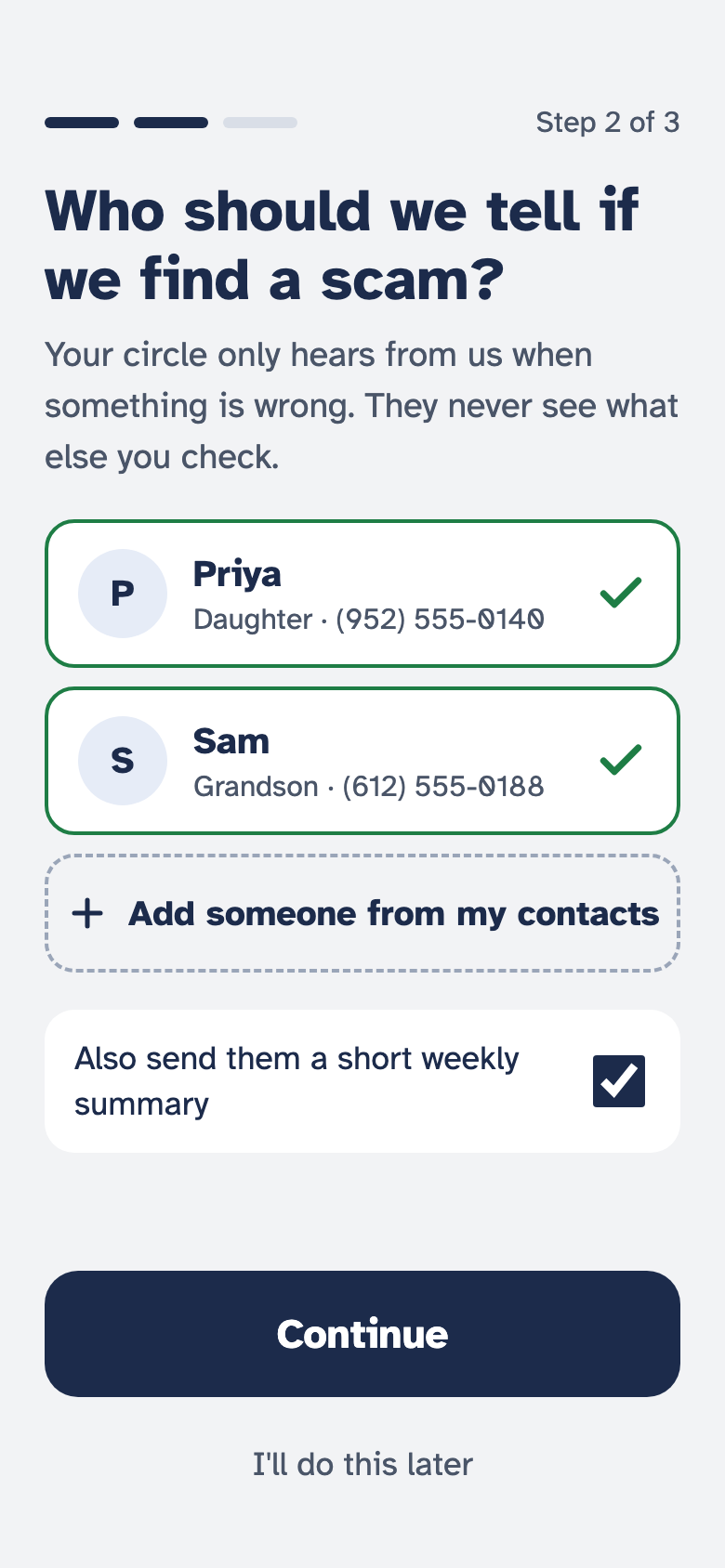
During setup, the person you look out for picks one or two trusted people from their contacts. From then on, every scam verdict has a "Let Priya know" button, and the door screen has a one-tap "Call Priya."
They choose who is in the circle and can change it any time. Nobody in the circle can see their phone or their other messages. It is a nudge, not surveillance.
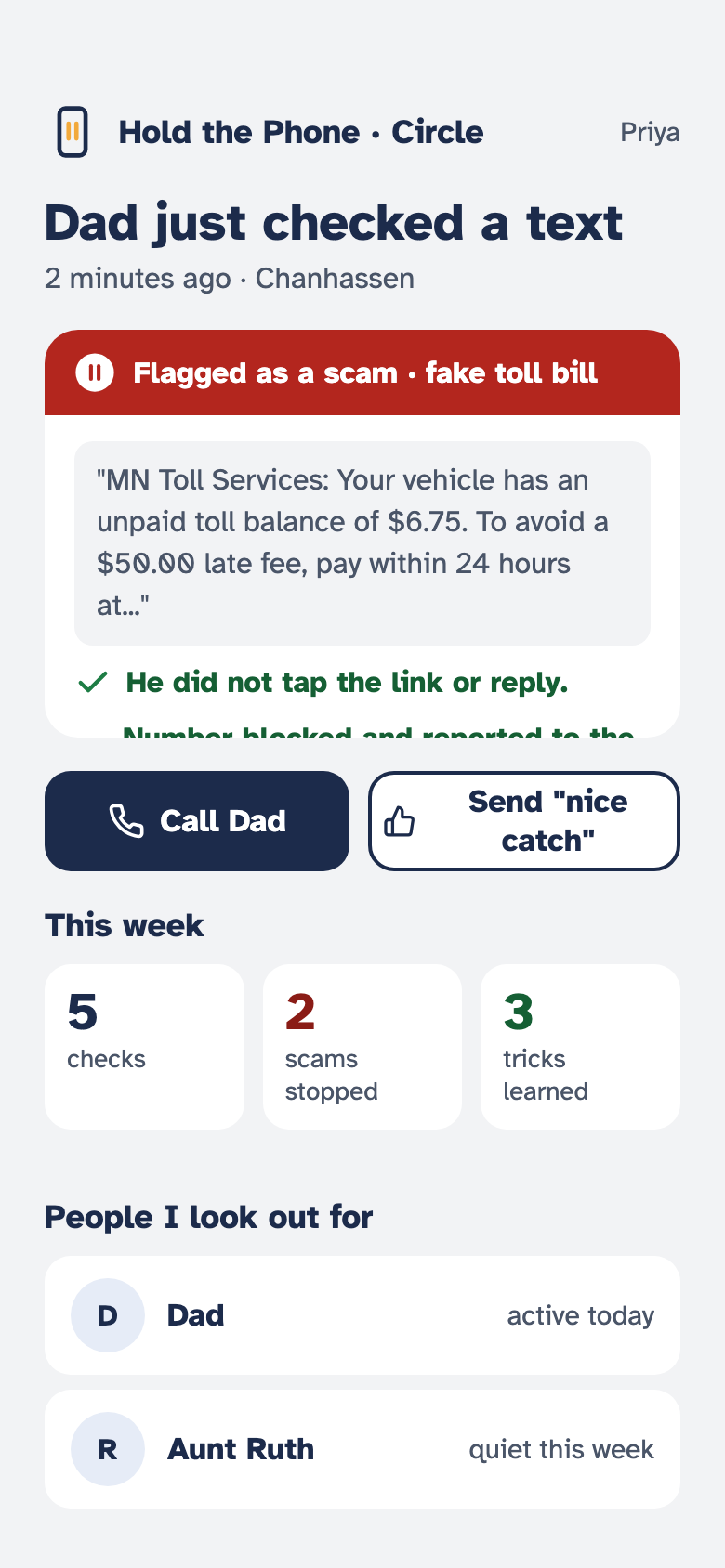
On the wayNext: when the app catches a scam on their phone, you get a short alert on yours. What kind of scam it was, that they did not tap or reply, and a button to call them. Never the whole message, and never the things they checked that turned out fine.
Built at home, for the people at home.
Hold the Phone was built by Asher Jeevanathan, a student at Minnetonka High School in Minnesota, as his entry in the Congressional App Challenge.
The problem started at home: the same toll texts and "your account has been suspended" calls that reach everyone's parents and grandparents. The app is built around the people who get the most of these messages and the least help with them.
Rules the app never breaks
- Nothing you have to read is smaller than 20 point text.
- One decision per screen. Buttons big enough for a shaky hand.
- Plain words. Never "phishing," never "credential," never "URL."
- The answer first, the reasons second, always both.
- Calm, even when it is a scam. "You do not owe anything."

Get Hold the Phone
Coming to the App Store and Google Play. Free, with no account and no ads.
Want to try it early, or set it up for a parent? Email hello@holdthephone.app and we will add you to the test group.